Room relocator
If you have grown a room in the ARS grid that you think is in the wrong position, or you want to upgrade your desktop theme to a bigger size and there are rooms in the way, you can use the room relocator to move the room to a new location.
The room relocator can be accessed from the Architectural Reconfiguration System GUI.
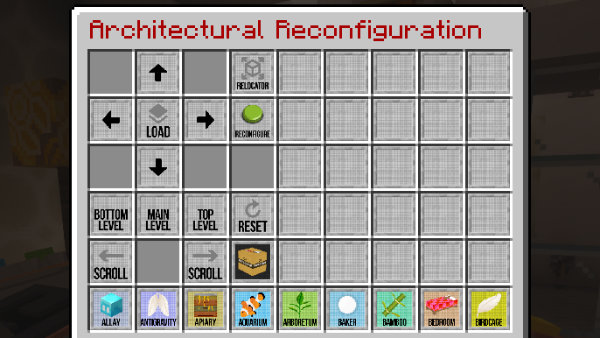
- Click the Relocation button to open the Room relocator.
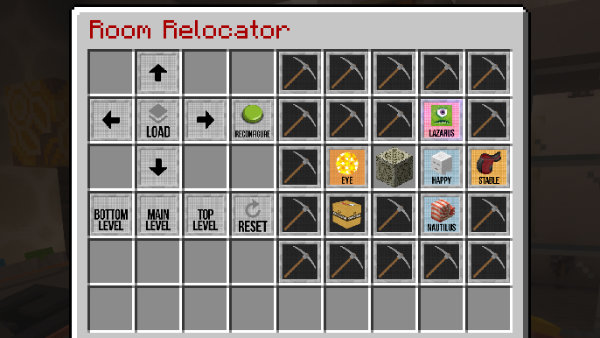
- Click the Load Map button.
- Select the room you want to relocate.
- Select an empty slot to move the room to. You can use any empty slot on any level.
- Click the Reset button to change your selections.
- Click the Reconfigure button to start the relocation .
Features
- Normal Artron energy costs apply to room relocation.
- If configured (blocks will need to be condensed for the new room).
- If the
rooms_require_blocksis not configured, then a check is made to make sure the room has not been mined out. - The original room is locked by putting REINFORCED_DEEPSLATE blocks in the doorways (as they can't be moved by pistons and are hard to break).
- Only one room can be relocated at a time.
- You can't relocate gravity wells (try growing a STAIRCASE instead).
- If present (Breedable) mobs will be teleported to the relocated room.
- Leashed Happy Ghasts will not be moved the relocated HAPPY room - unleash them before relocating.
- The old room will be automatically jettisoned and Artron energy returned.
warning
This will NOT track custom modifications or chests inside the room, it will only build a new room with the breedable entities from the existing room.