Copper Golem Room
The copper golem room is mostly a decorative space, but it also can be used to keep chunks loaded in the TARDIS when there is no Time Lord present.
Copper Golem
- vanilla
- tardis
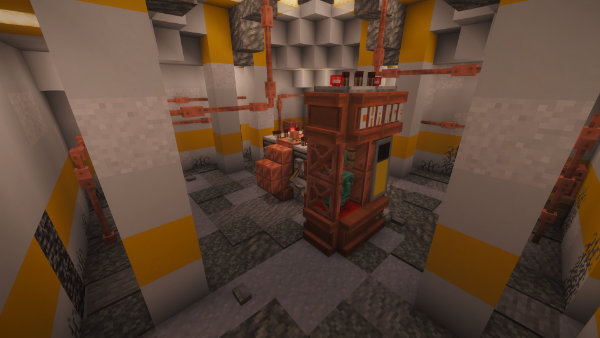
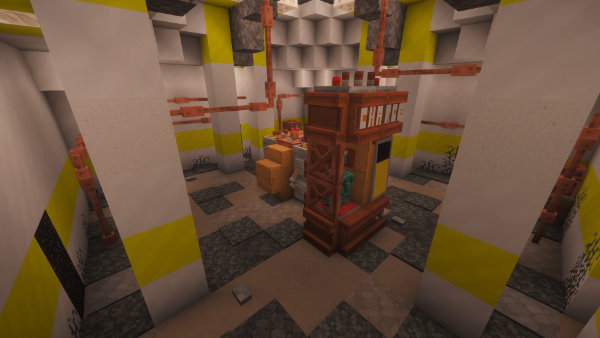
Chunk Loader GUI
To keep room chunks loaded in the TARDIS:
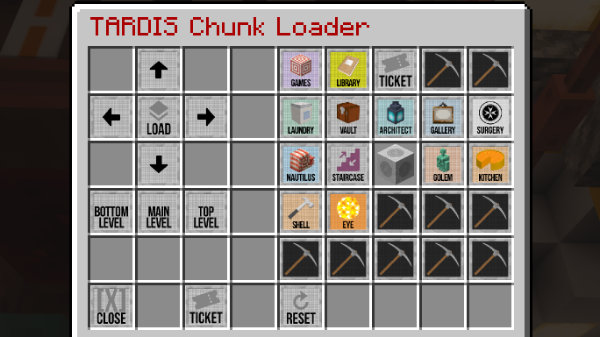
- Open the Chunk Loader GUI by right-clicking the yellow (battery) wall banner.
- In the GUI, load the map.
- Click on the rooms you want to keep loaded. Rooms above and below the selected room will also be included in the selection, as chunks are the height of the world.
- Once rooms have been selected, click the Add tickets button to save the selection and add plugin chunk tickets.
- Use the Clear chunk tickets button to remove all chunk tickets from rooms.
- Chunk tickets will be automatically removed when the player is offline, and re-added when they next join the server.
Moving or adding the chunk loader banner
If you want to move the chunk loader banner to a new location, or you have grown a copper golem room before the chunk loader feature was added, you can use the update command:
/tardis update chunk_loader
Then click the yellow wall banner you want to use.
Configuration
In order for chunk loading to work the config option allow.chunk_tickets must be true in config.yml.
Permission
Players must have the permission tardis.chunk_tickets to keep chunks loaded.