Perception Filter
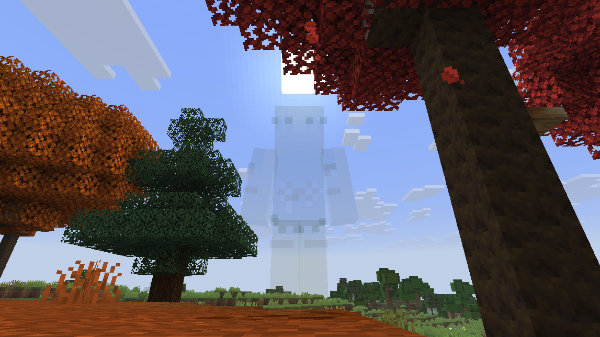
You can craft a Perception Filter to make yourself partially invisible.

Type the command /tardisrecipe filter in game to view the crafting recipe.
| Ingredients | Crafting recipe | Difficulty |
|---|---|---|
| String Redstone Gold Nugget Comparator | string   string string redstone  gold nugget  comparator   perception filter  | easy |
| String Redstone Gold Nugget Perception Circuit | string string string redstone gold nugget perception circuit  perception filter | hard |
Once crafted you can equip the Perception Filter in your chest armour slot by right-clicking air with the filter in hand.
To disable the filter just remove it from the chest armour slot.
When travelling between worlds, the Perception Filter may go completely invisible — if this happens, just press your “sneak” key (usually LEFT-SHIFT) to make the player skin update.
Permission
To allow players to use the Perception Filter they will need the permission tardis.filter.
Configuration
To enable or disable the Perception Filter on the server set the configuration option in config.yml:
allow:
   perception_filter: [true|false]
Or use the command /tardisconfig perception_filter [true|false]
A server restart is required.